☰ Contents
- ★ Quick start
- 1 · Access & signing in
- 2 · A tour of the portal
- 3 · Get an instant quote
- 4 · LTL: skids & sizes
- 5 · Reading your quote
- 6 · Book a load
- 7 · Recent quotes & repeat
- 8 · Lanes we price by hand
- 9 · Shipments & orders
- 10 · Proof of delivery (POD)
- 11 · My rates
- 12 · Fuel surcharge
- 13 · On your phone
- ? · Questions & fixes
★Quick start — your first quote in a minute
Five steps. Every one is explained with screenshots further down.
- Sign in with the email and temporary password we sent you, then choose your own password.
- Type a pickup city and a delivery city and pick each from the list. Add the pickup date, the load type (full truckload or skids) and the temperature.
- Press GET QUOTE. Your price appears instantly — freight, fuel surcharge, your discount and any extras — with the transit time and the lane on the map.
- Happy with it? Press 🚚 REQUEST BOOKING, add your PO number and dock notes, and submit. Our team confirms by email.
- Come back any time to track your loads, request a POD or ↻ REPEAT a lane at today's price.
1Getting access & signing in
The portal is for Cargo County Group customers: each account is set up by our team, and every quote you get is priced for your company.
Sign in
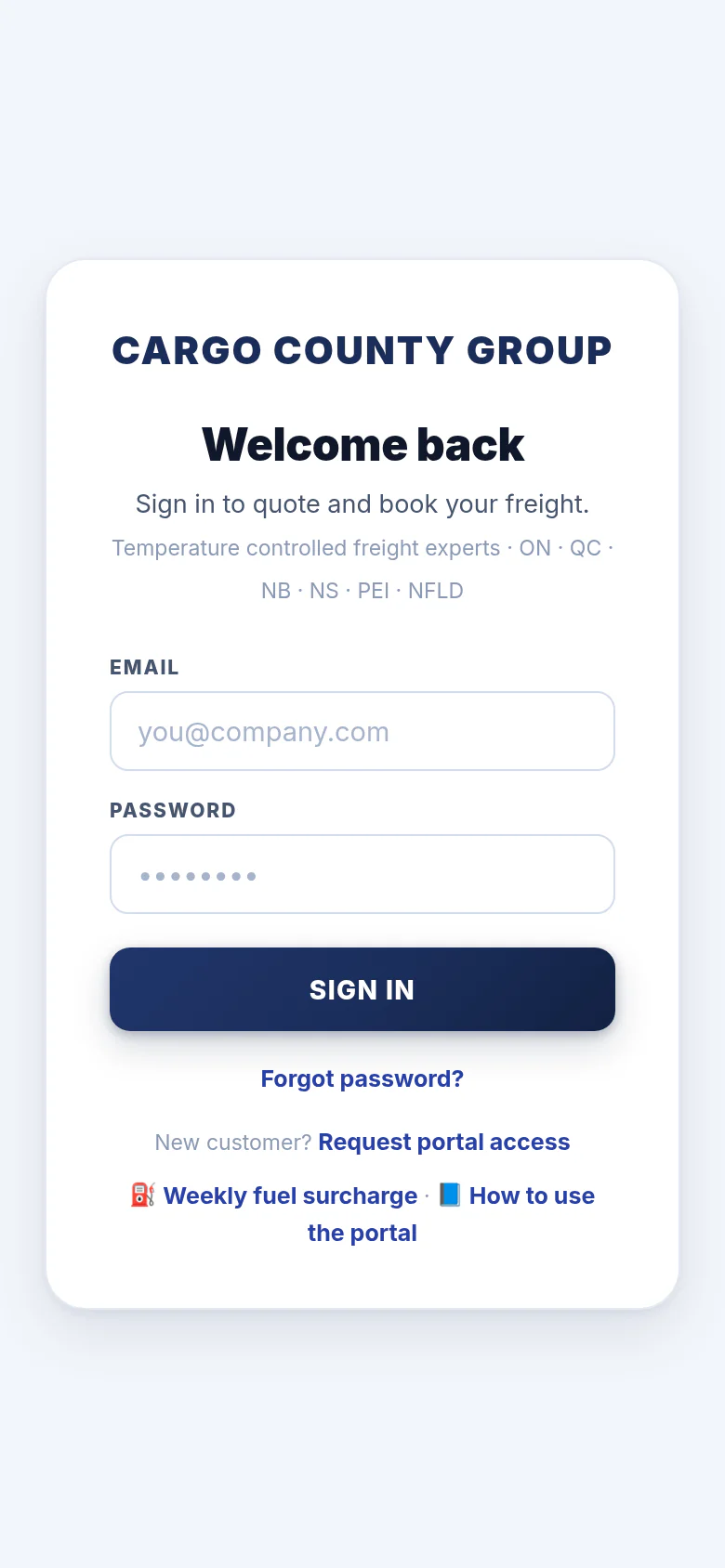
Open portal.cargocounty.com on any computer, tablet or phone.
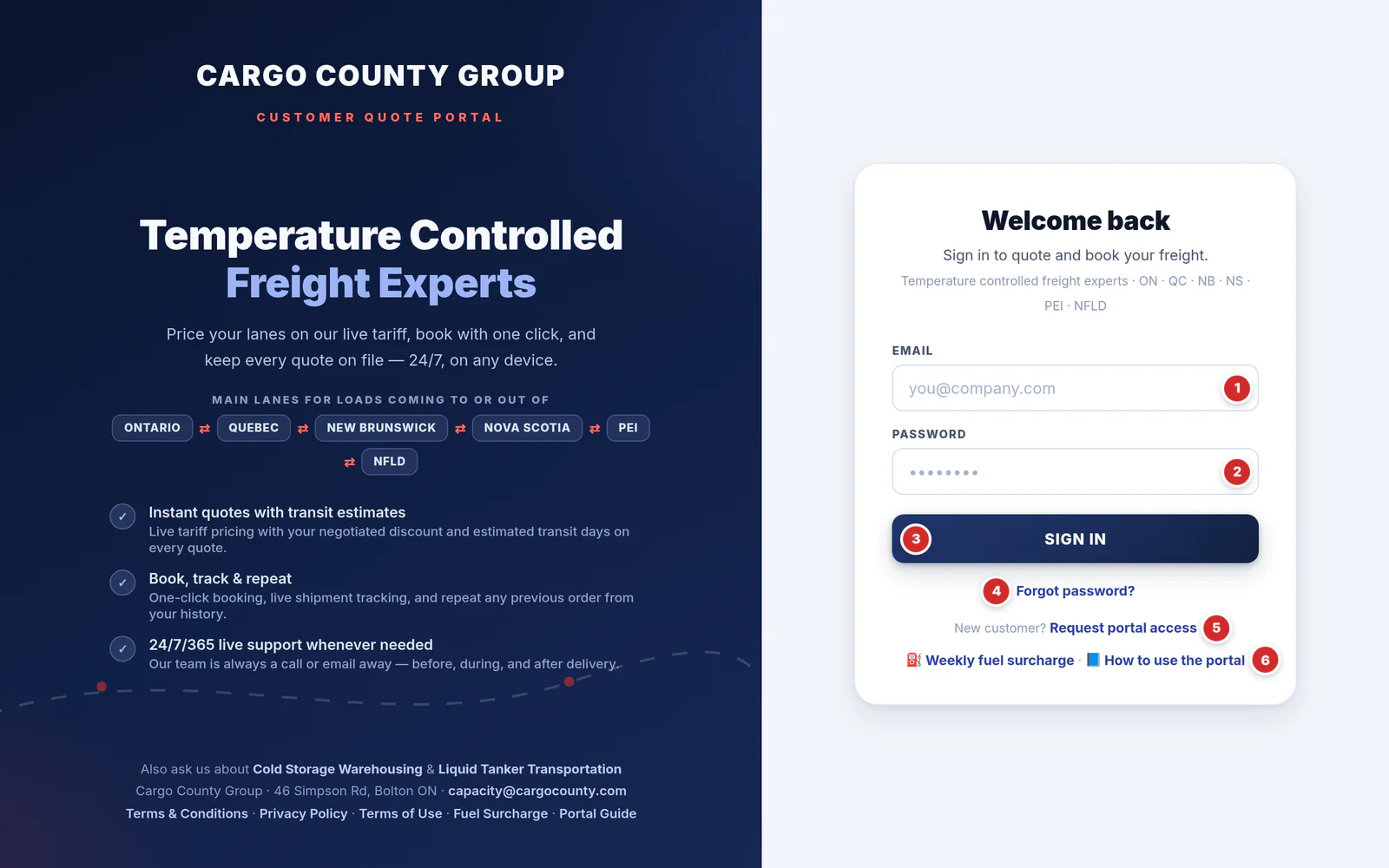
- Email — the address we set your account up with.
- Password — press Enter or the button to sign in.
- SIGN IN. You stay signed in on that device for 7 days.
- Forgot password? — type your email first, then click it. Our team is notified and contacts you with a new temporary password.
- Request portal access — for companies that don't have an account yet (below).
- 📘 How to use the portal — opens this guide.
First sign-in: set your own password
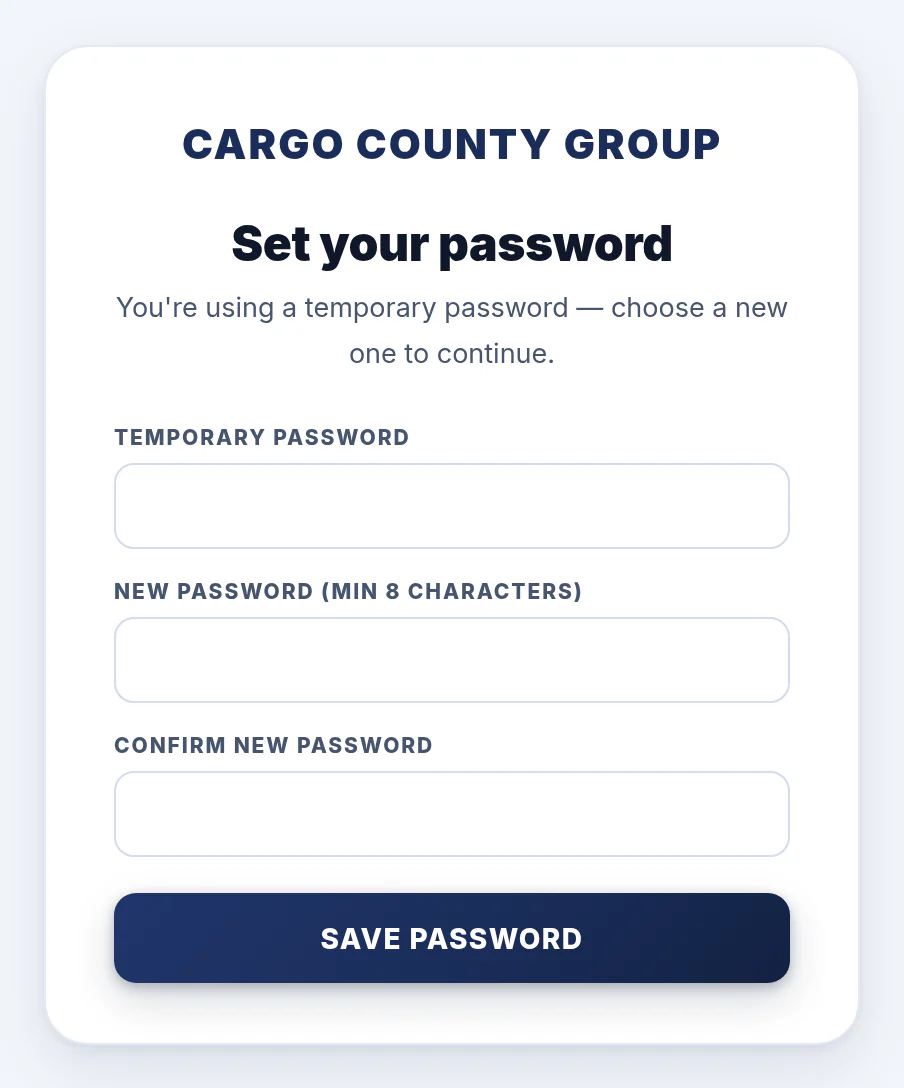
The first time you sign in with the temporary password from our email, the portal shows Set your password — choose your own before you continue:
- Temporary password — the one from our email.
- New password — at least 8 characters — typed twice.
- Press SAVE PASSWORD and the portal opens.
New customer? Request access
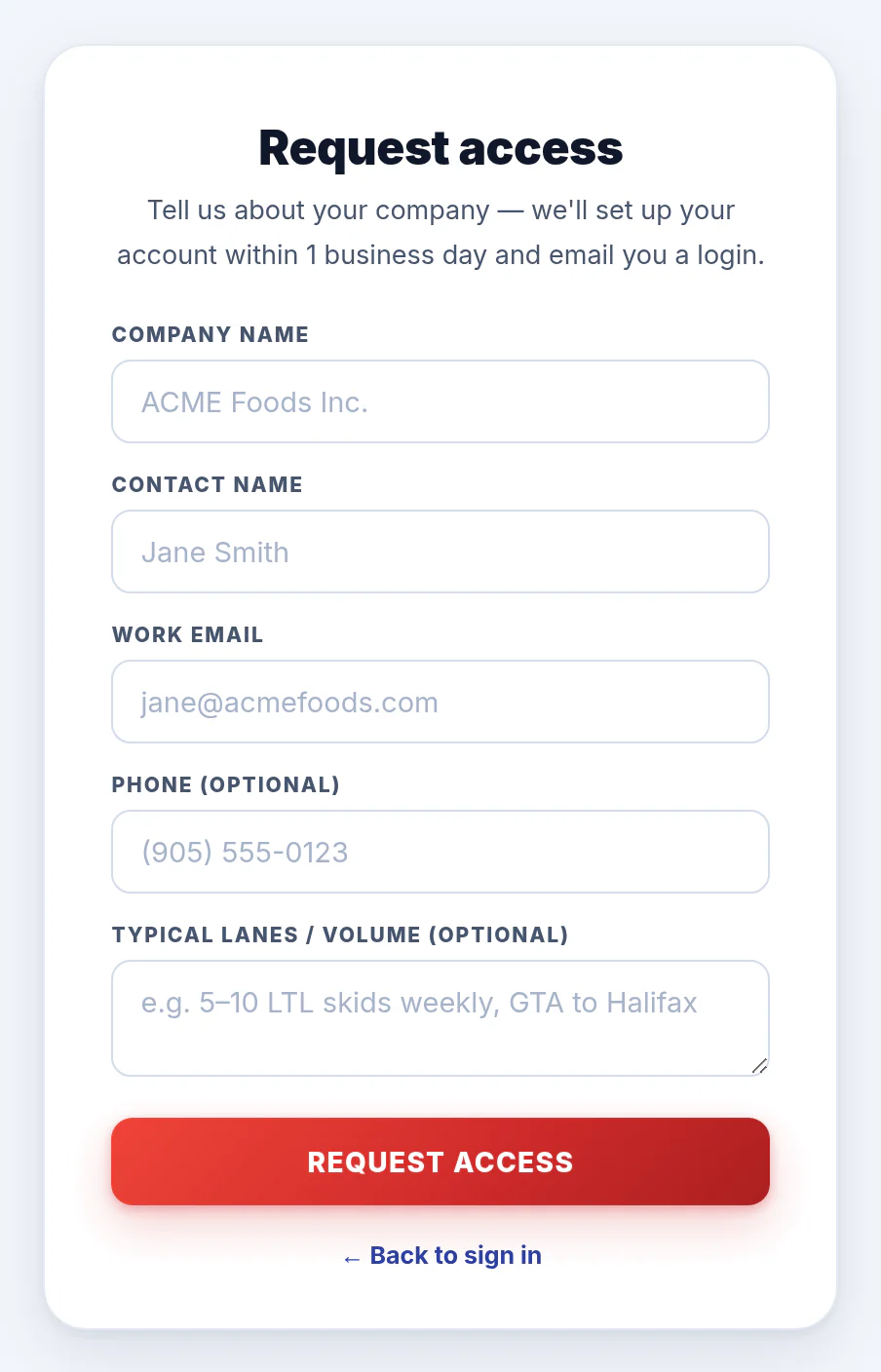
Click Request portal access on the sign-in screen and tell us:
- Company name, contact name and work email (required),
- a phone number and your typical lanes / volume (optional — it helps us set up your pricing).
Press REQUEST ACCESS. We set up your account within 1 business day and email you a login.
2A tour of the portal
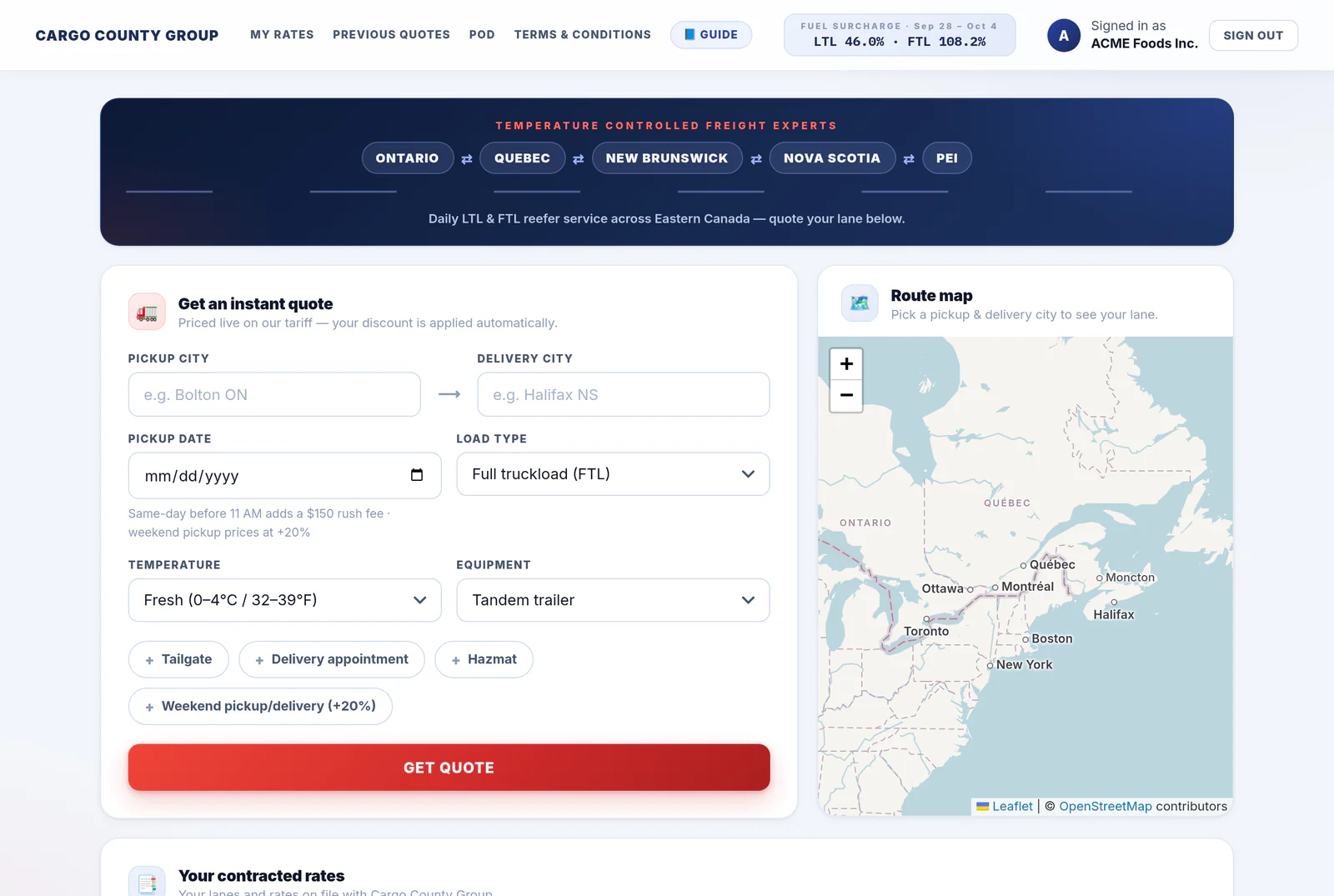
Once you're signed in, everything is on one page: the quote tool and route map at the top, then your rates, shipments, orders, recent quotes and this week's fuel surcharge as you scroll down.
The header bar
The bar stays at the top of the screen while you scroll.

- MY RATES — jumps to your contracted lanes and rates. Only there if we've switched it on for your account (section 11).
- PREVIOUS QUOTES — jumps to your recent quotes (section 7).
- POD — request a proof of delivery (section 10).
- TERMS & CONDITIONS — our 2026 terms and accessorial charges, in a new tab.
- 📘 GUIDE — this guide, in a new tab so your quote stays open.
- Fuel surcharge — this week's LTL and FTL fuel surcharge and the dates it applies to (section 12).
- Signed in as — your company.
- SIGN OUT — always sign out on a shared computer.
3Get an instant quote
Quotes are priced live on our tariff with your company's pricing applied automatically. Fill the form from top to bottom and press GET QUOTE.
Choose your cities
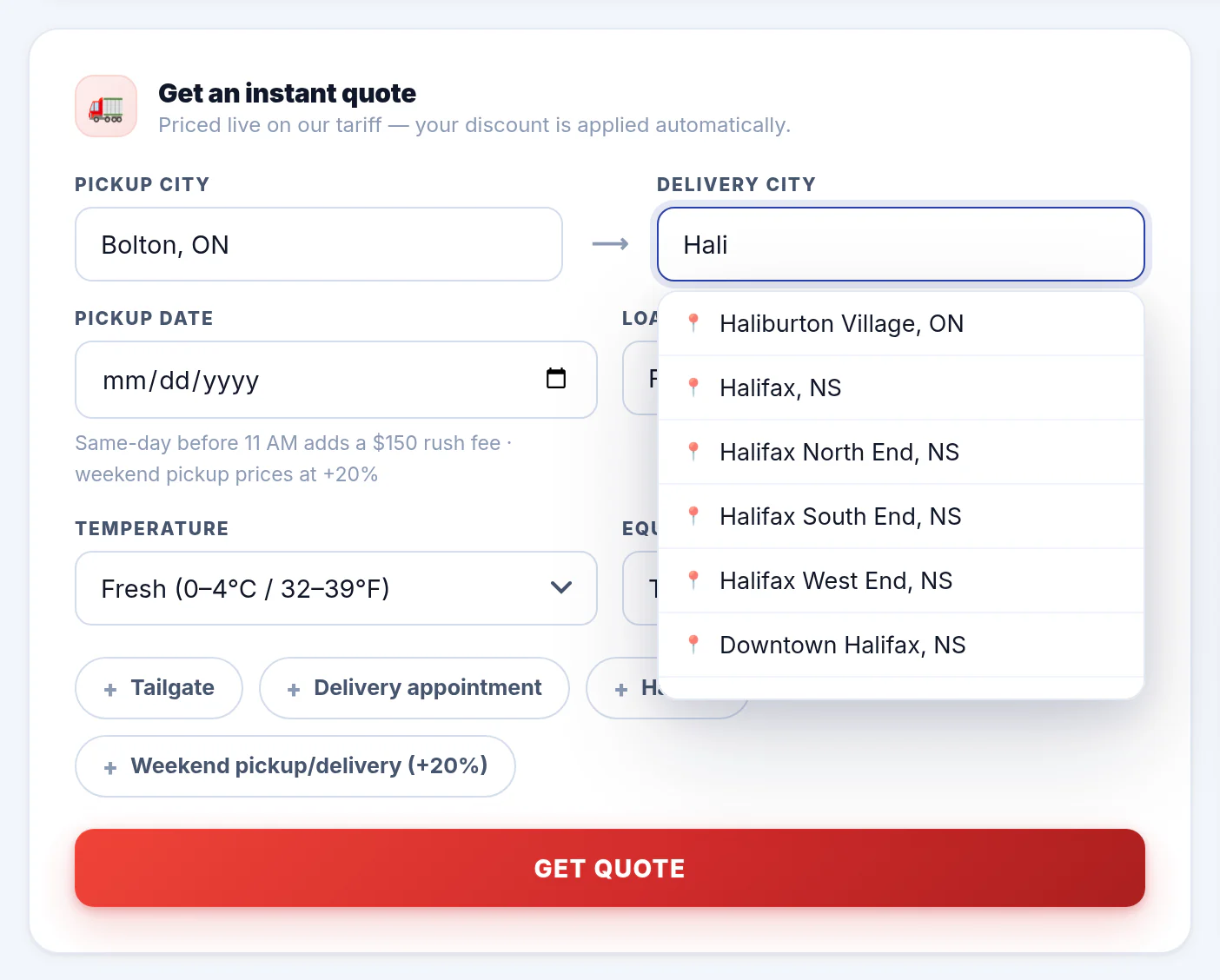
Start typing a city in Pickup city — after two letters a list of matching cities appears. Click the right one (the province is shown next to each), then do the same for Delivery city.
Picking from the list matters: there are several places called Kingston, Richmond or Windsor in Canada, and the list tells them apart. If you type a city yourself, add the province — Moncton NB, Laval QC.
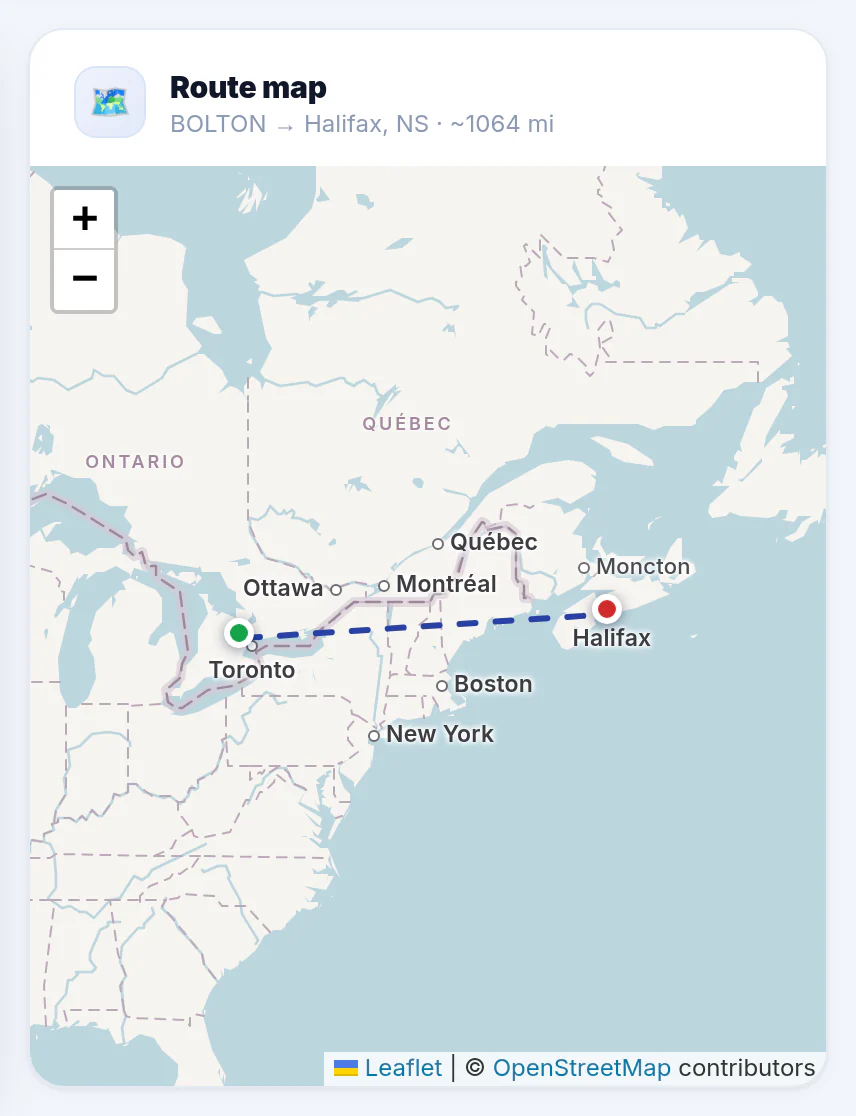
As soon as both cities are chosen, the Route map shows your lane.
Fill in the load
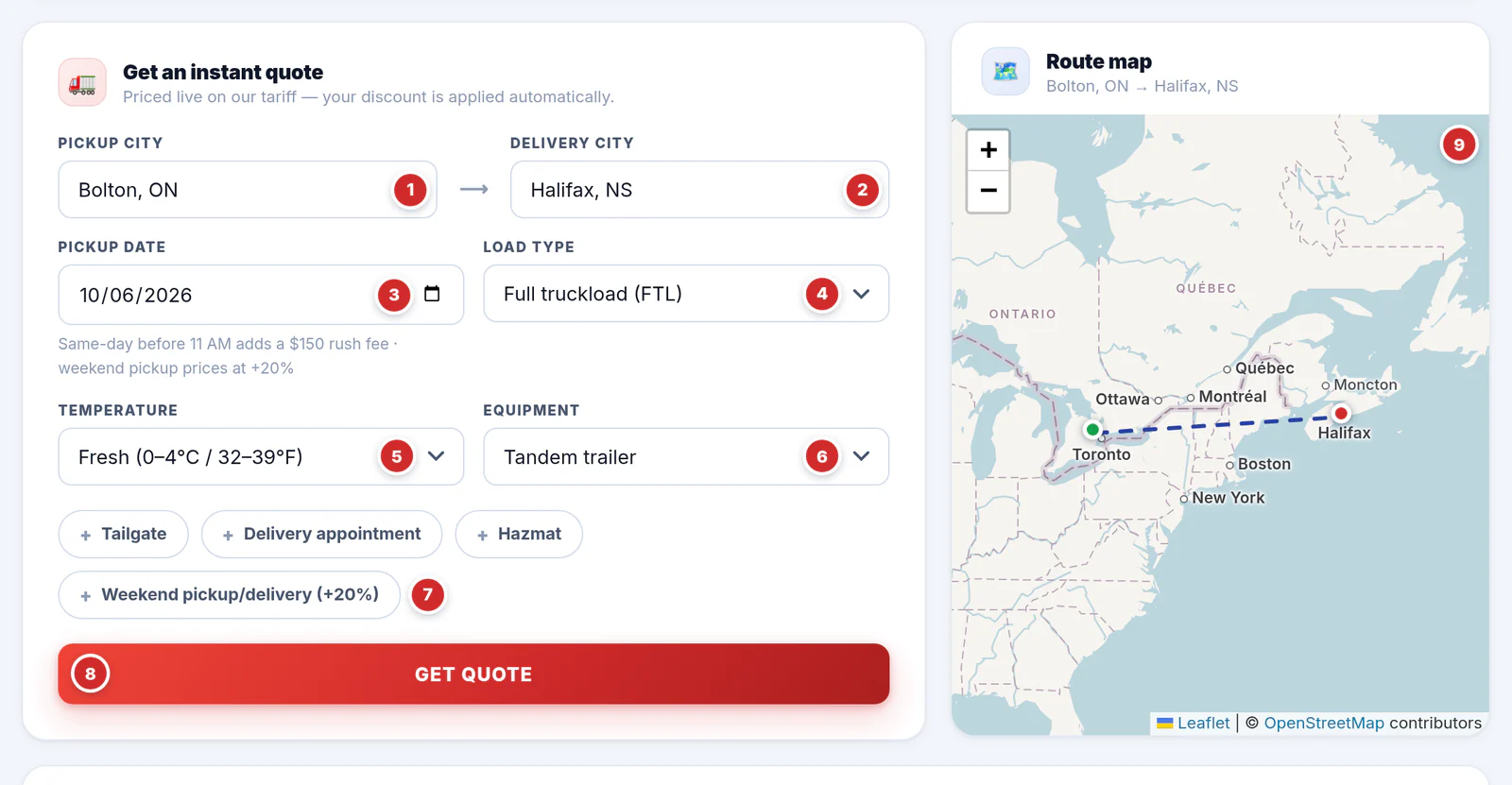
- Pickup city — picked from the list.
- Delivery city — picked from the list.
- Pickup date — the day the truck loads. It changes the price in two cases:
- Same-day pickup ordered before 11 AM (Toronto time) adds a $150 rush fee. After 11 AM a same-day pickup can't be priced online — our team is notified and contacts you.
- A Saturday or Sunday pickup prices at +20% automatically.
- Load type — Full truckload (FTL): the whole trailer. Less than truckload (LTL): 1 to 15 skids — four more boxes appear for your skids (section 4).
- Temperature — Fresh (0–4 °C / 32–39 °F), Frozen (−18 °C / 0 °F), Dry or Heated. It sets the service on your quote — Road · Fresh, Road · Frozen…
- Equipment — Tandem trailer (standard) or Triaxle trailer (+10%) for heavier loads.
- Extras — tap to add, tap again to remove (a ticked extra turns blue with a ✓):
- Tailgate — a truck with a power tailgate (hydraulic lift) at pickup or delivery.
- Delivery appointment — the consignee needs a booked time slot.
- Hazmat — dangerous goods.
- Weekend pickup/delivery (+20%).
- GET QUOTE — prices it in a second or two.
- Route map — your pickup (green) and delivery (red) with the lane between them. Use + / − to zoom. The map is for reference only — the price doesn't depend on it.
4LTL: skids & sizes
Choose Less than truckload (LTL) as the load type and four boxes appear. LTL is priced per skid, so tell us what you're shipping.
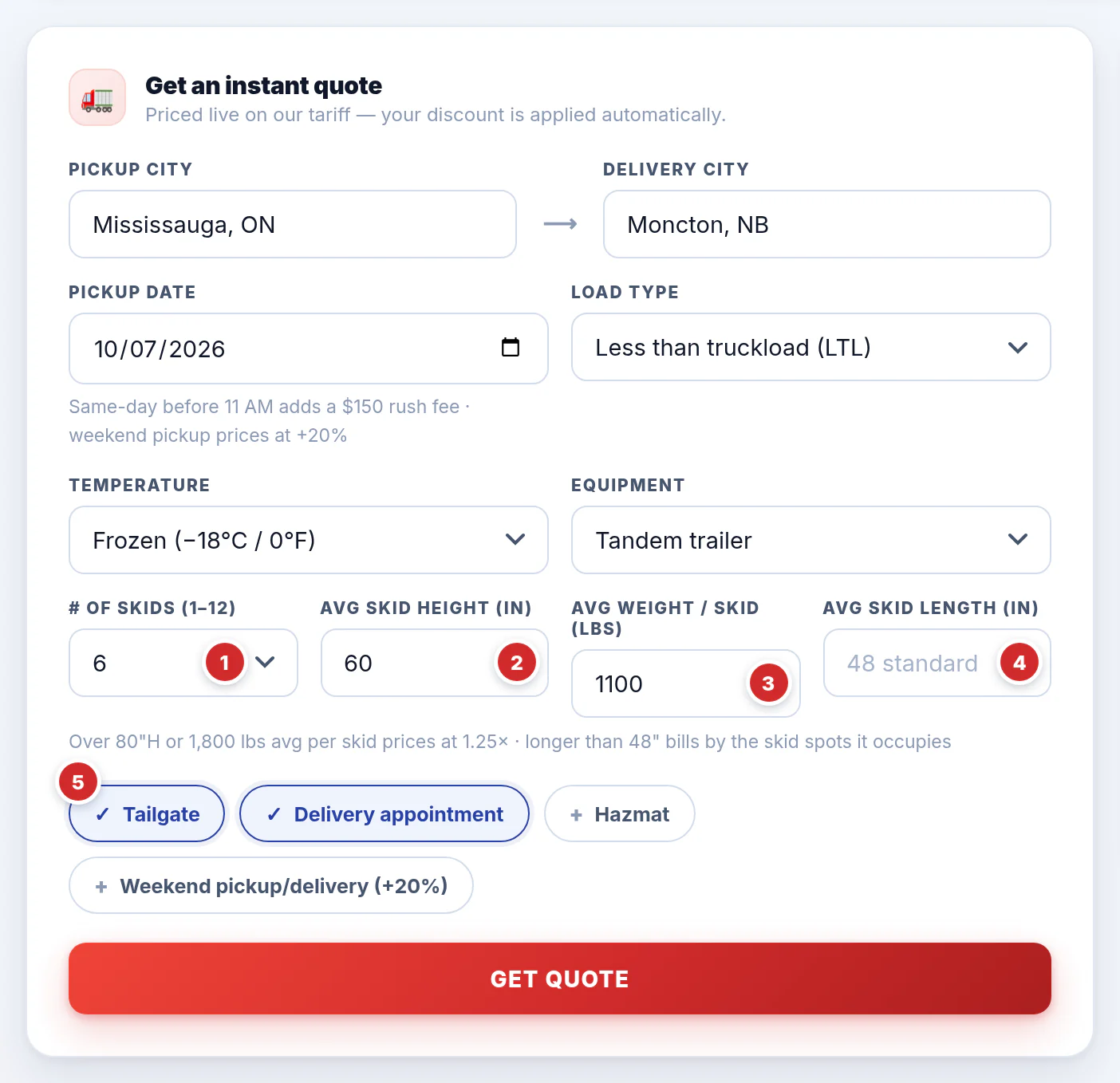
- # of skids (1–15).
- Avg skid height (in) — the average height of your skids in inches.
- Avg weight / skid (lbs) — the average weight of one skid.
- Avg skid length (in) — leave it empty for a standard 48" skid.
- Extras — ticked extras are blue with a ✓.
| If your skids are… | What happens |
|---|---|
| Over 80" high or over 1,800 lbs on average | Oversize: the freight prices at 1.25× (a line on the quote says why). |
| Longer than 48" | They're billed by the skid spots they take up on the trailer. |
| More than 15 skid spots in total | Too big for LTL — it needs truckload pricing, and our team contacts you. |
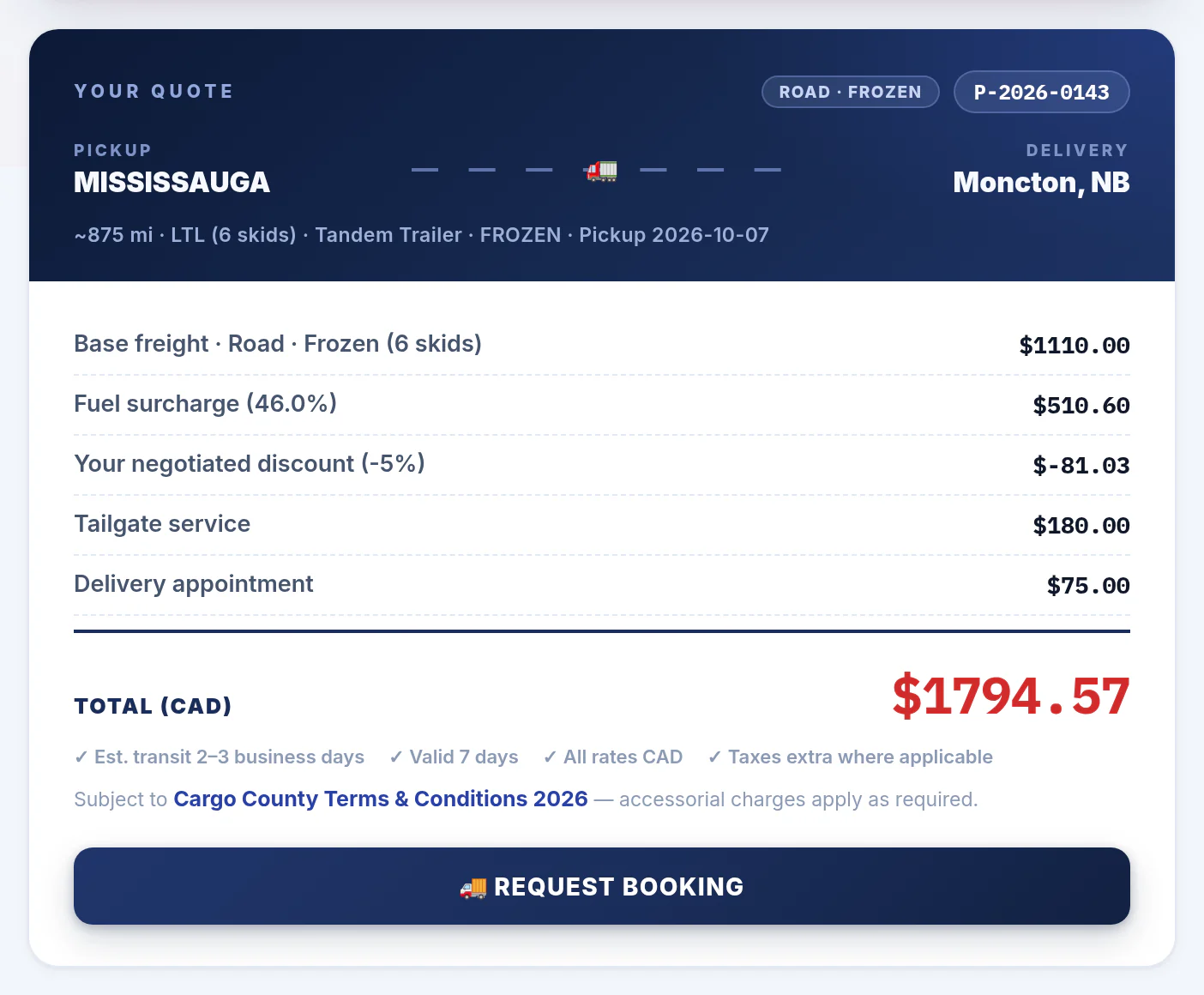
The quote for this load lists every extra on its own line:
5Reading your quote
Your quote appears right under the form, and the route map zooms to the lane.
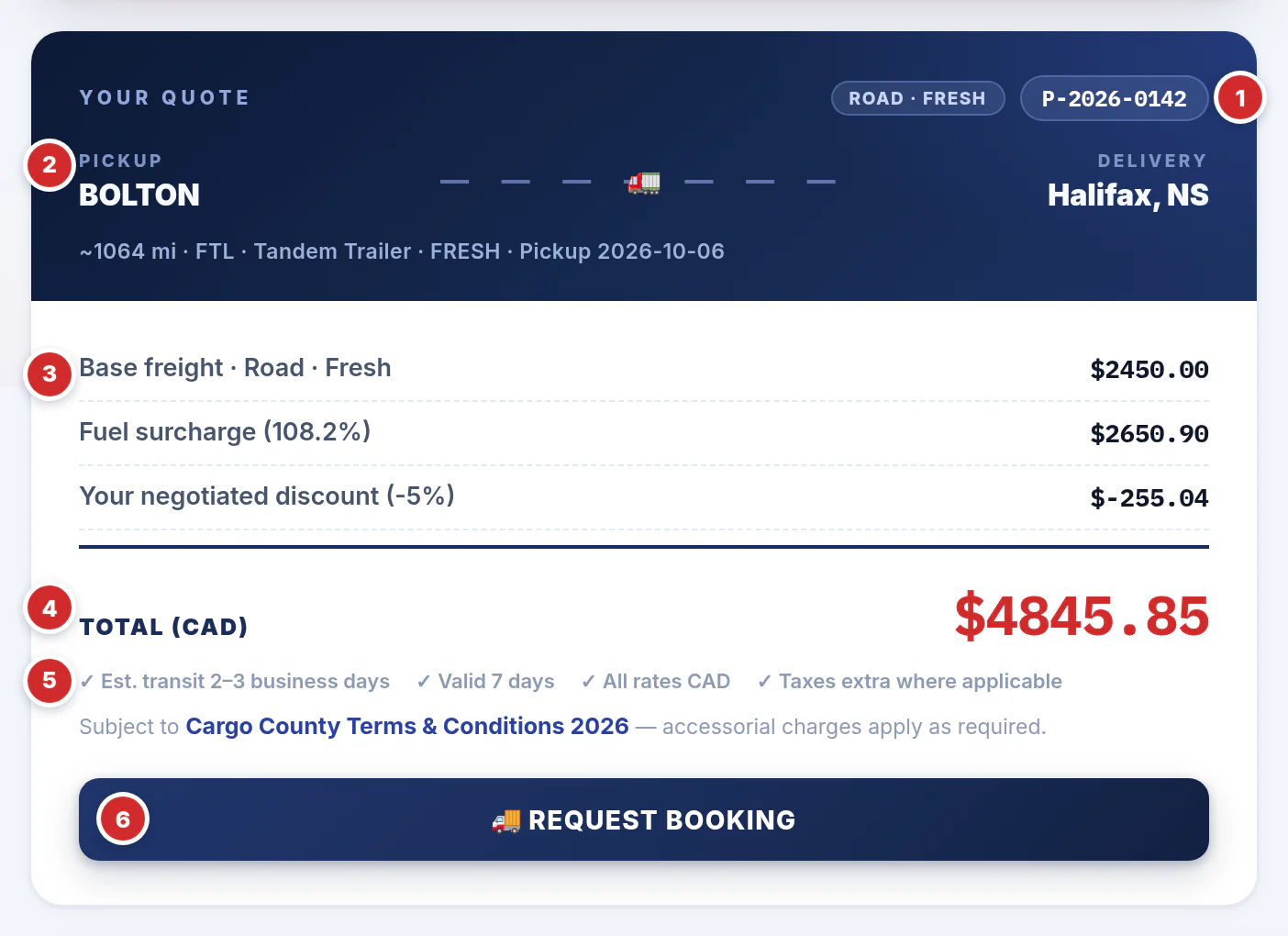
- Quote number (P-2026-0142) — mention it whenever you contact us about this price. The chip beside it is the service, e.g. Road · Fresh.
- The lane — pickup and delivery as we matched them, then the distance, load type, equipment, temperature and pickup date. Check they're what you meant.
- The price, line by line — the base freight, the fuel surcharge at this week's %, your negotiated discount (when your account has one) and any extras. Pickups or deliveries outside our main service areas show their own line.
- TOTAL (CAD) — what you pay, in Canadian dollars.
- Estimated transit in business days (about 600 miles a day; the Newfoundland ferry adds time), and the fine print: valid 7 days, all rates CAD, taxes extra where applicable. Every quote is subject to our Terms & Conditions 2026.
- 🚚 REQUEST BOOKING — book this quote (section 6).
6Book a load
Press 🚚 REQUEST BOOKING on a quote (or BOOK on an open quote in your history) and the booking form opens.
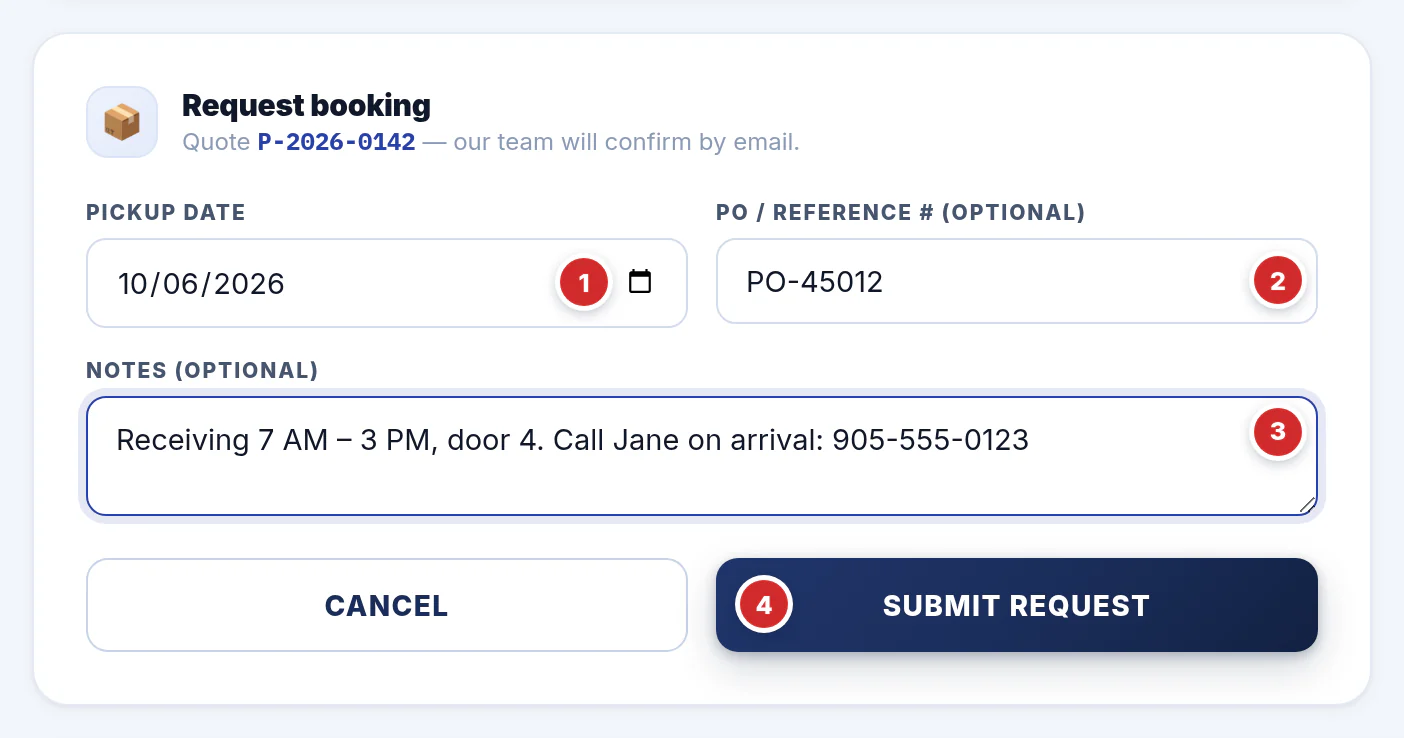
- Pickup date — filled in from your quote; change it if needed.
- PO / reference # — your purchase order or reference number (optional, but it's what we'll print on the paperwork and what you can search your orders by).
- Notes — dock hours, the contact on site, appointment numbers, special instructions.
- SUBMIT REQUEST.
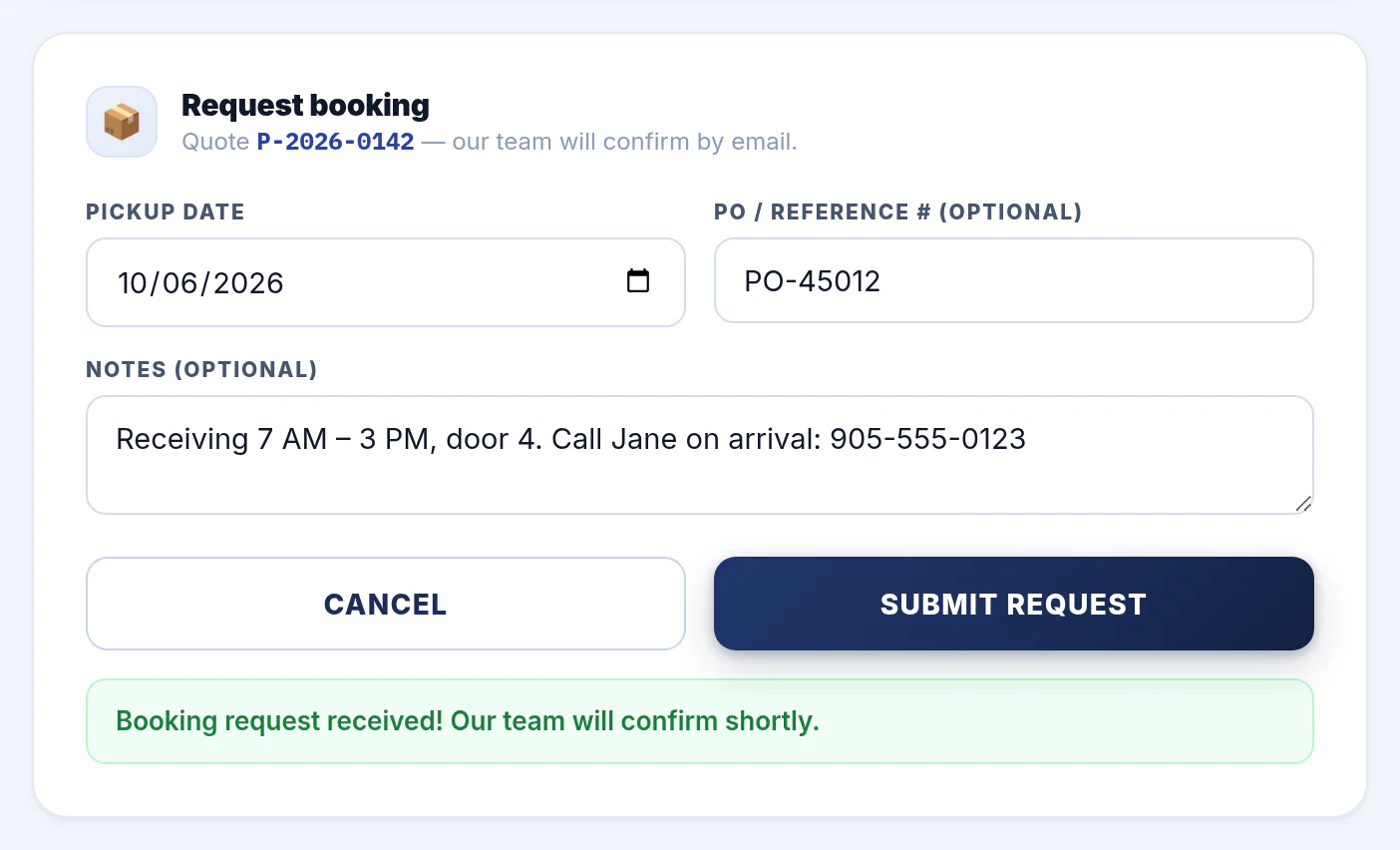
What happens next:
- The quote shows REQUESTED in your recent quotes, and our dispatch team gets your request straight away.
- We confirm by email — the quote then shows BOOKED.
- If we can't take the load as requested, the quote goes back to QUOTED, so you can adjust it and request it again — or email us.
7Your recent quotes & ↻ REPEAT
Every quote you get is kept under Your recent quotes (your last 50), newest first. PREVIOUS QUOTES in the header jumps here.
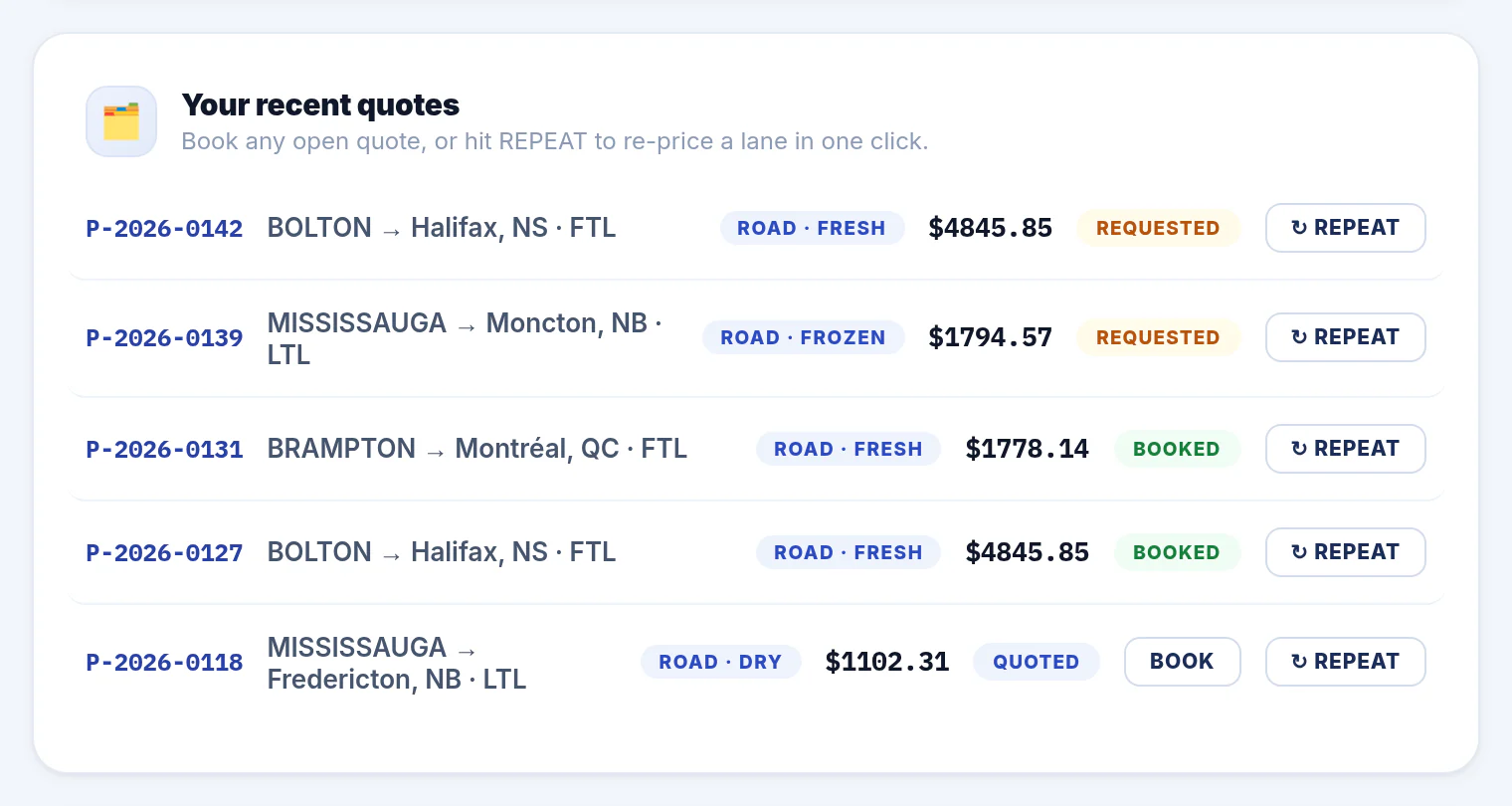
Each row shows the quote number, the lane and load type, the service, the price and the status:
- QUOTED — an open quote. The BOOK button books it.
- REQUESTED — you've asked to book it; we're confirming.
- BOOKED — confirmed by our team.
↻ REPEAT — re-quote a lane in one click
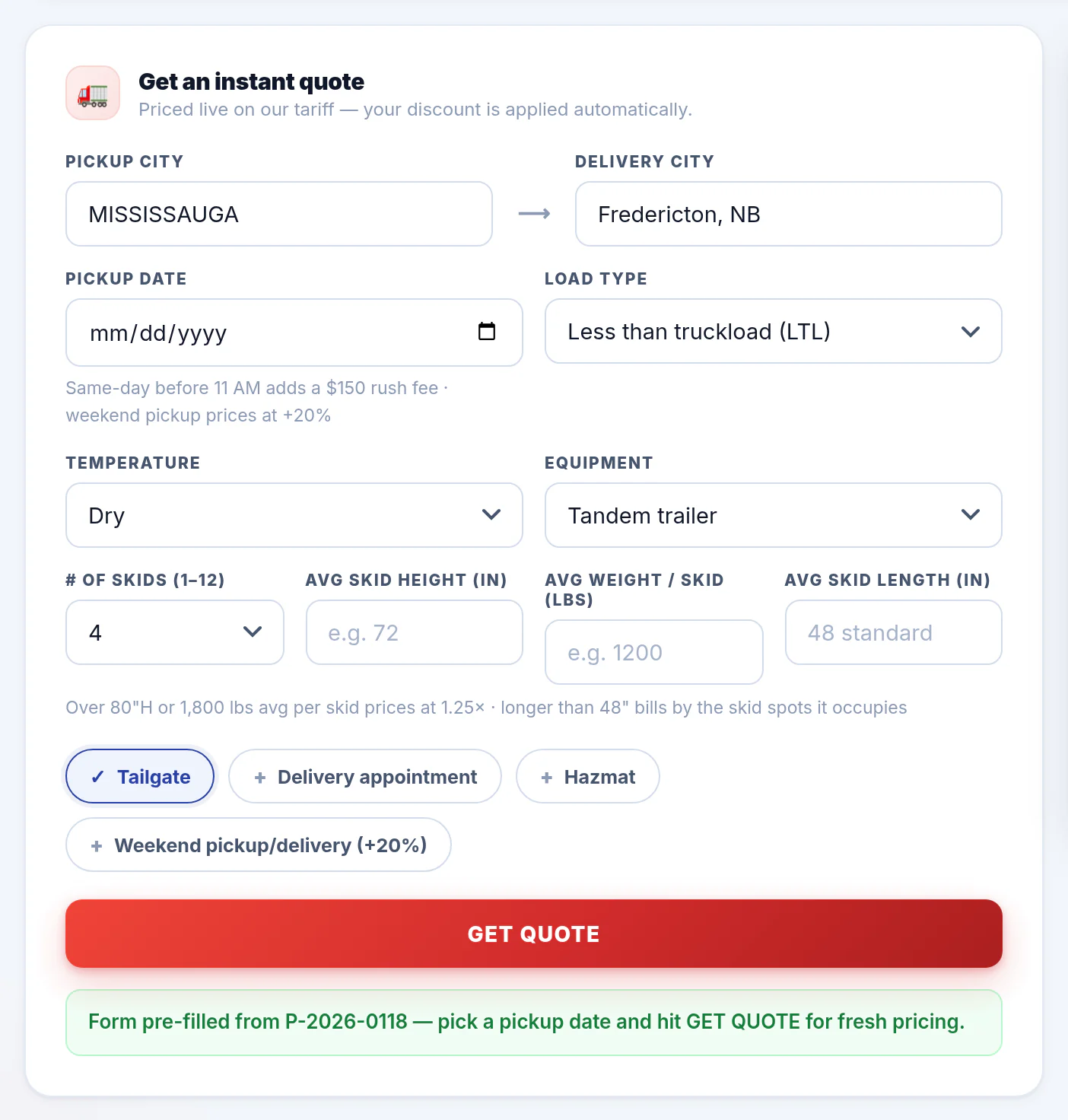
Shipping the same lane again? Press ↻ REPEAT on any quote. The form fills in with that quote's cities, load type, skids, temperature, equipment and extras.
Pick a pickup date and press GET QUOTE — you get a fresh price on today's rates and fuel surcharge.
8Lanes we price by hand
The portal prices our network instantly. When it can't, it says so and our team prices it for you.
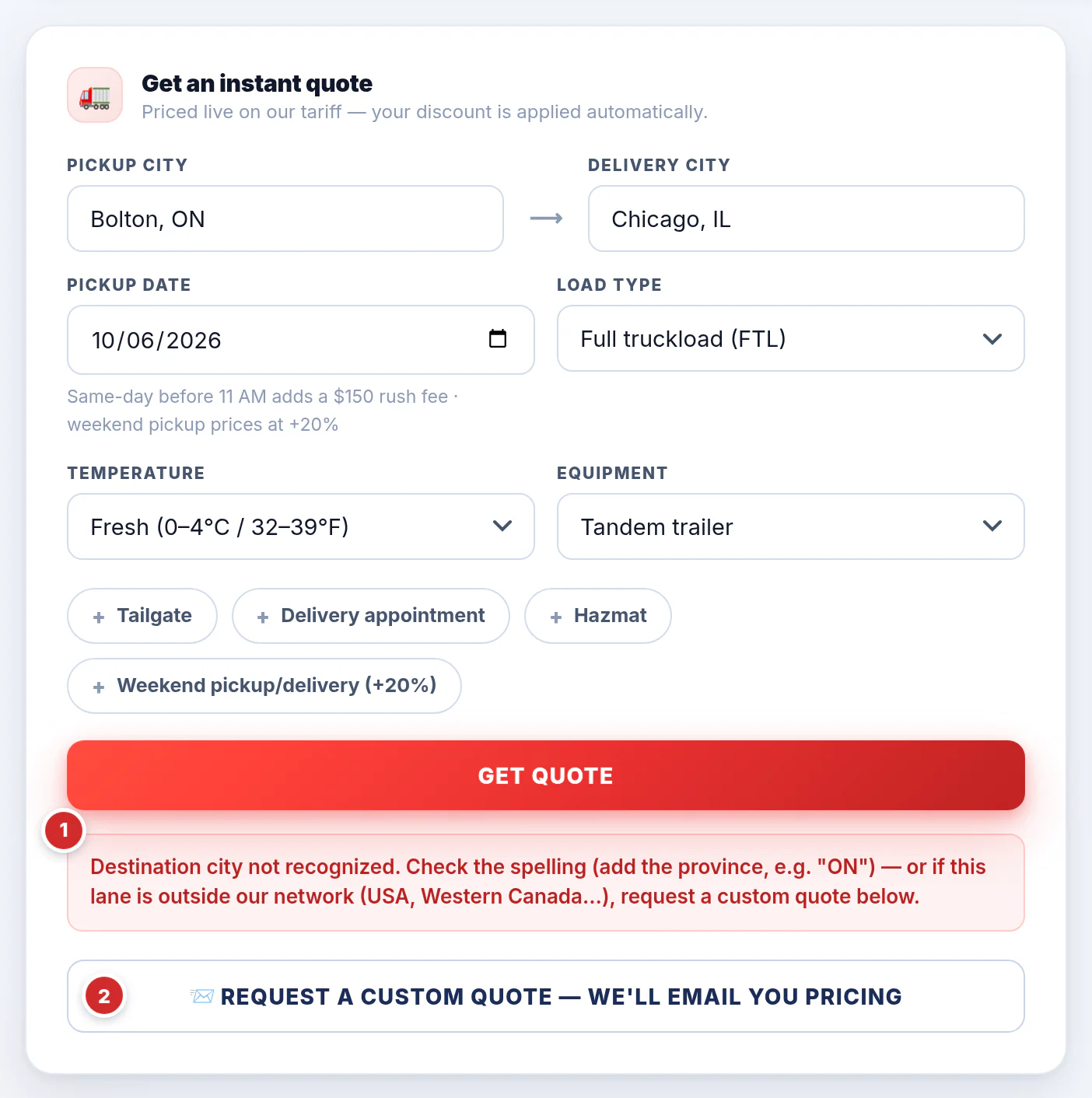
City not recognized / outside our network
For a city the portal doesn't know — or a lane outside our network, like the USA or Western Canada — you'll see a red message and a 📨 REQUEST A CUSTOM QUOTE — WE'LL EMAIL YOU PRICING button.
- Check the spelling and add the province first — that's the usual fix.
- Still not found, or truly off our network? Press the button. Our team prices the lane and emails you the quote.
"This lane needs a custom quote"
A green message saying our team has been notified and will reach out to you shortly means there's nothing more to do — we'll contact you. It shows for things like a same-day pickup after 11 AM, an LTL load over 12 skid spots, or a lane without a published rate.
9Track your shipments & orders
When your account is linked to our operations system, two more cards appear with your loads, straight from our dispatch system.
Your shipments — the last 45 days
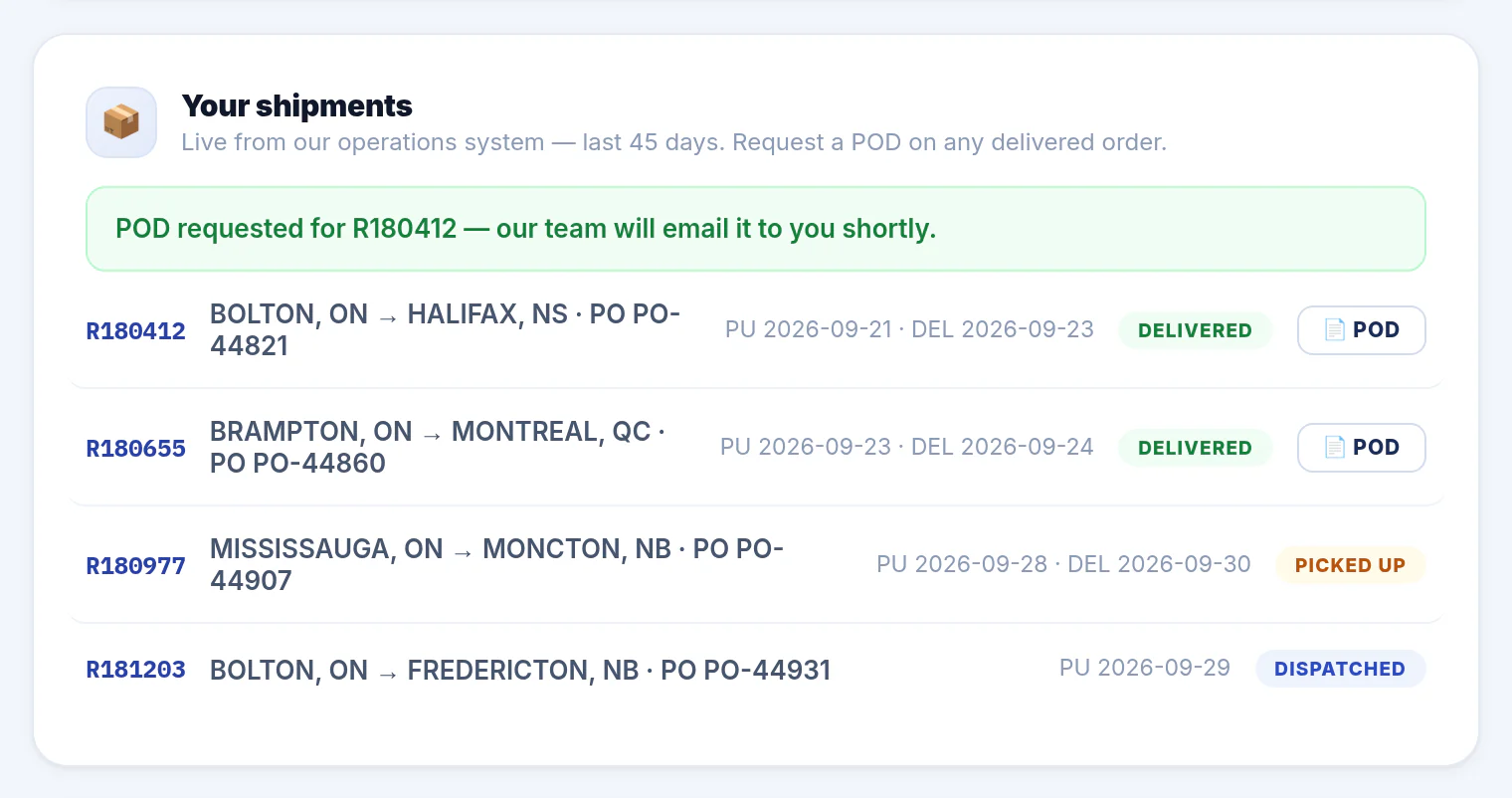
Each shipment shows our order number (R180412), the lane, your PO number, the pickup (PU) and delivery (DEL) dates and the status: DELIVERED · PICKED UP (on the road) · DISPATCHED (planned). Delivered loads have a 📄 POD button.
Your orders — the last 20, with the truck and ETA
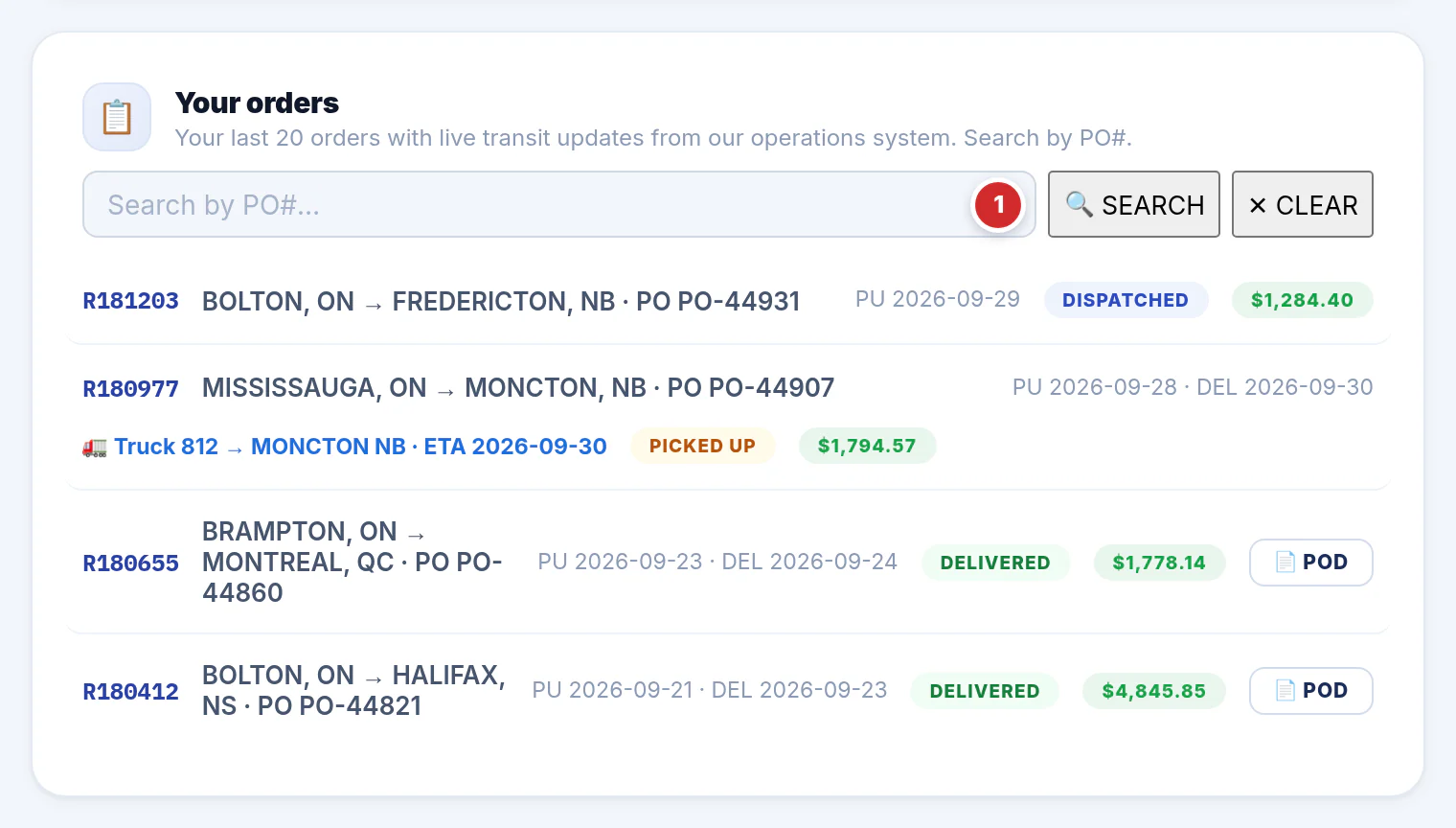
- Search by PO# — type all or part of your PO number and press 🔍 SEARCH (or Enter); ✕ CLEAR shows everything again.
A load on the road shows a blue line with the truck, where it's heading and its ETA (🚛 Truck 812 → MONCTON NB · ETA 2026-09-30), updated from our dispatch system every few minutes. If your account is set up to show amounts, each order also carries its charge in green.
10Proof of delivery (POD)
Need the signed delivery paperwork? Ask for it from the portal and our team emails it to you.
- From a delivered load — press 📄 POD beside it in Your shipments or Your orders. A green line confirms: “POD requested for R180412 — our team will email it to you shortly.”
- From the header — click POD. If your shipments are listed, it takes you to them; otherwise it asks for the order number (for example R12345).
- By email — capacity@cargocounty.com with the order or PO number.
You can request up to 15 PODs a day, for orders on your own account.
11My rates — your contracted lanes
If we've agreed contract rates with your company, we can switch on Your contracted rates for your account. MY RATES in the header jumps to it.
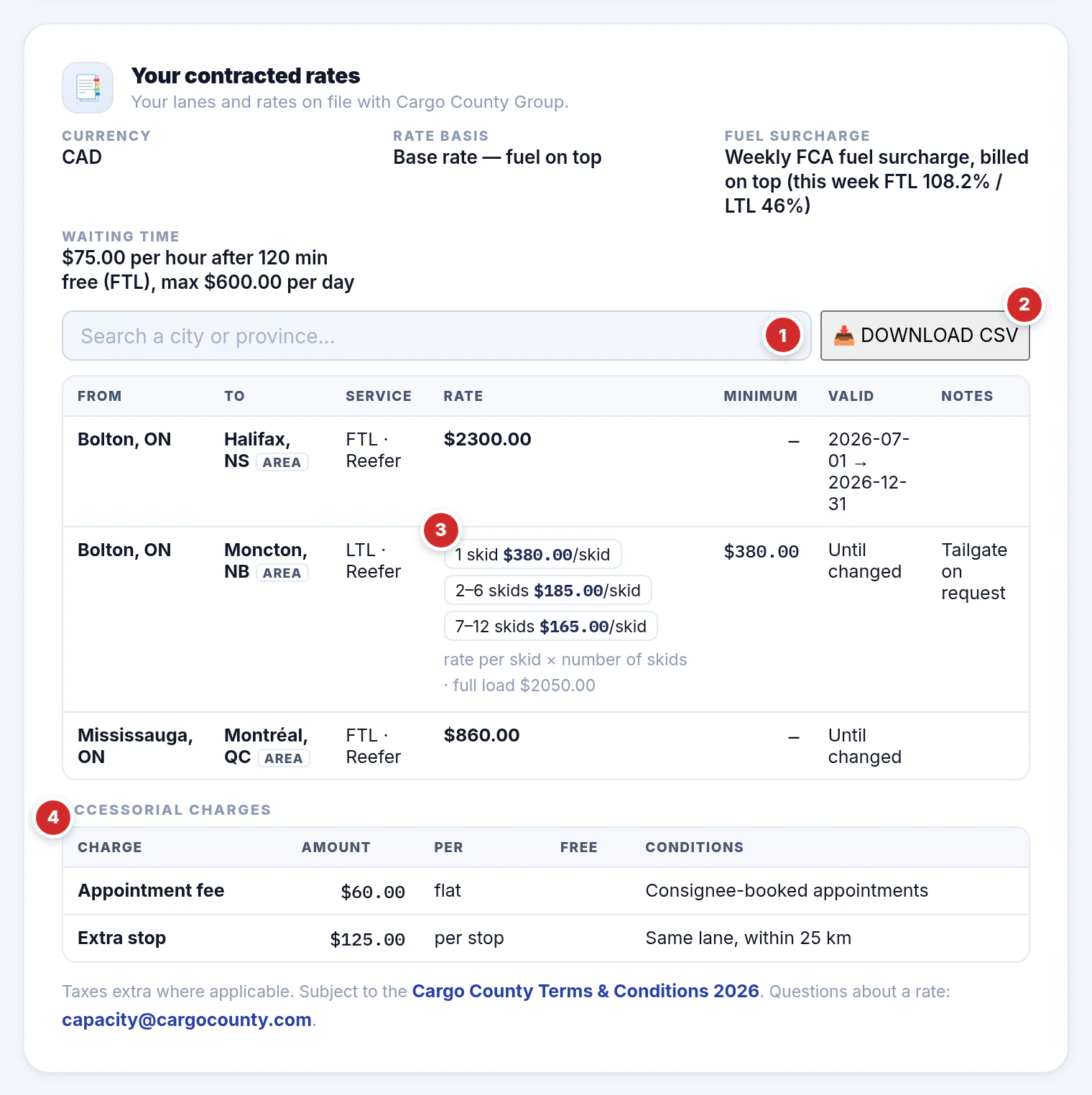
The top of the card sets out the basics: the currency, the rate basis (a base rate with fuel billed on top, or all-in), how the fuel surcharge is billed, and any waiting time terms.
- Search — type a city or province to narrow the list.
- 📥 DOWNLOAD CSV — your rate sheet as a spreadsheet file.
- Skid rates — per-skid lanes show each tier, e.g. 1 skid $380, 2–6 skids $185/skid. "Rate per skid × number of skids" means a 4-skid load is 4 × $185. AREA means the rate covers the whole area around that city (PROVINCE-WIDE: anywhere in the province).
- Accessorial charges agreed with you (appointment fees, extra stops…).
Only confirmed, current lanes are listed. Questions about a rate? Email capacity@cargocounty.com.
12The weekly fuel surcharge
Fuel moves every week, so our fuel surcharge does too. It's already on every instant quote as its own line.
- Full truckloads use the FTL %; LTL shipments use the LTL %. It's calculated on the freight charges.
- The box in the header shows this week's two figures and the dates they apply to (Monday to Sunday).
- At the bottom of the portal, This week's fuel surcharge repeats them; History ▾ opens the last few weeks.
- The public page portal.cargocounty.com/fuel-surcharge (no sign-in needed) has the full weekly history with charts — handy to share with your accounts payable team.

13On your phone
Everything works on a phone or tablet — no app to install. Open the portal in your phone's browser and sign in.
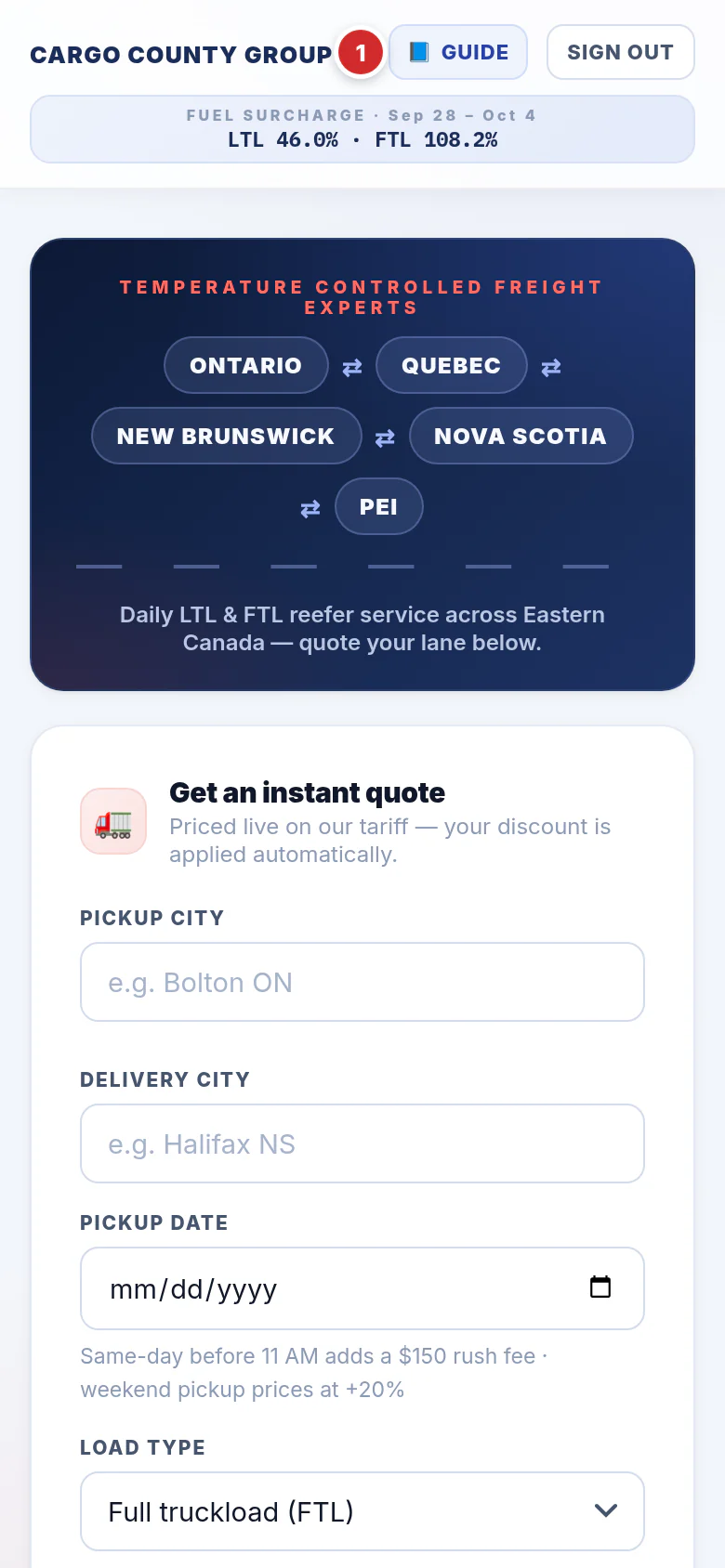
- The header keeps 📘 GUIDE and SIGN OUT, with the fuel surcharge underneath.
- Scroll down for the route map, your rates, shipments, orders and recent quotes.
- Tip: use your browser's Add to Home Screen to open the portal like an app.
?Questions & fixes
My city isn't in the list
"Session expired — please sign in again"
"Too many failed attempts — try again in 15 minutes"
"Daily quote limit reached"
Do the prices include tax?
How long is a quote good for?
Can I change or cancel a booking?
Why did my quote get a weekend or rush charge I didn't tick?
The map is blank or grey
Where are your terms and accessorial charges?
Who do I contact?
Ready to quote your next load?
Sign in to the portal →